 Prevya Pad
Every cue, one tap away.
Your iPad as a touch controller for SoundSwitch: autoloops, static looks, colors, positions, effects and intensity, in sync with your project.
Free · for iPad
Coming soon to the App Store · iPadOS 17 or later
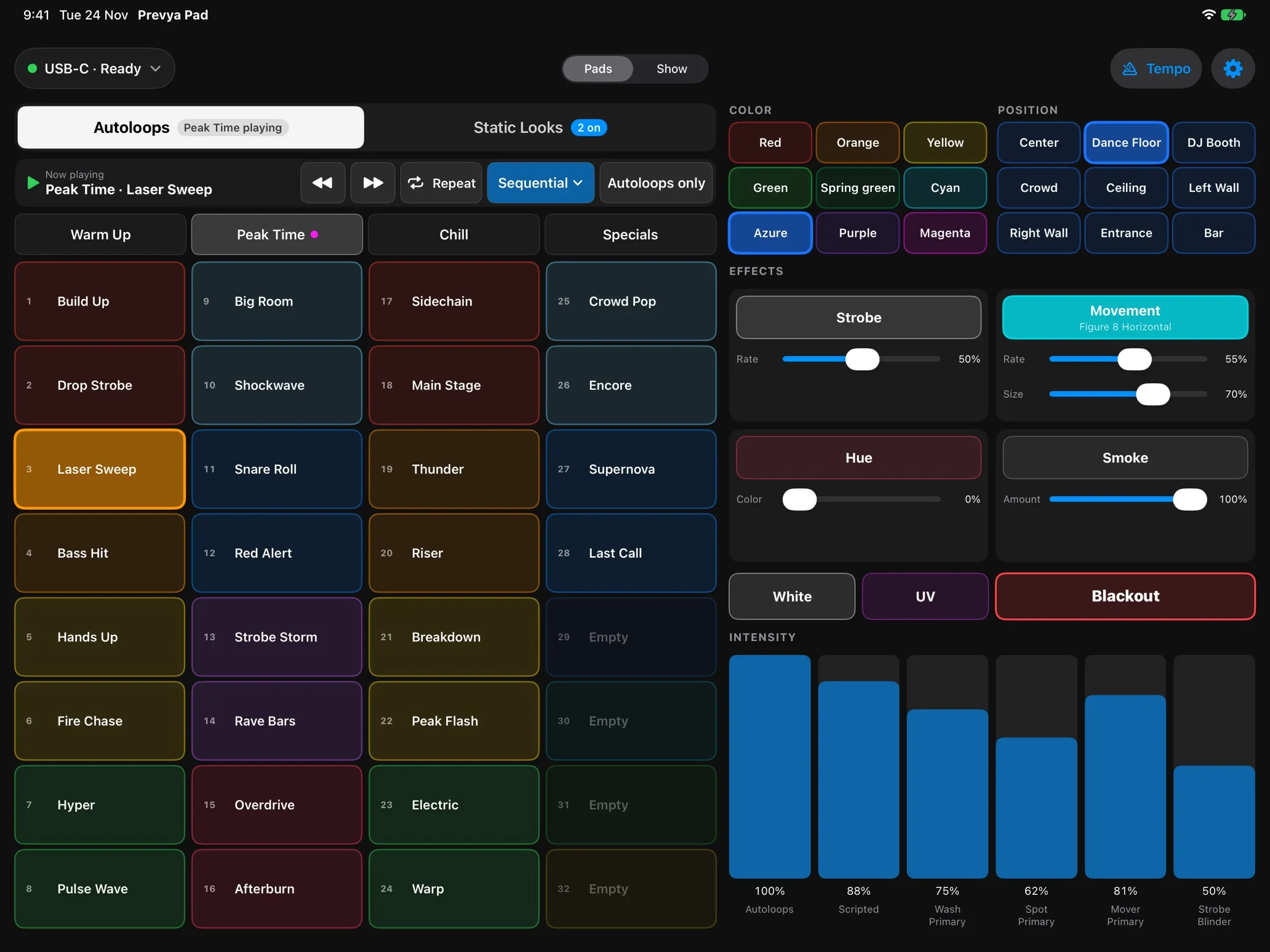
What’s on the iPad
Works with SoundSwitch
Your fixtures, at your fingertips
Autoloops laid out just like SoundSwitch, in sync with your project.
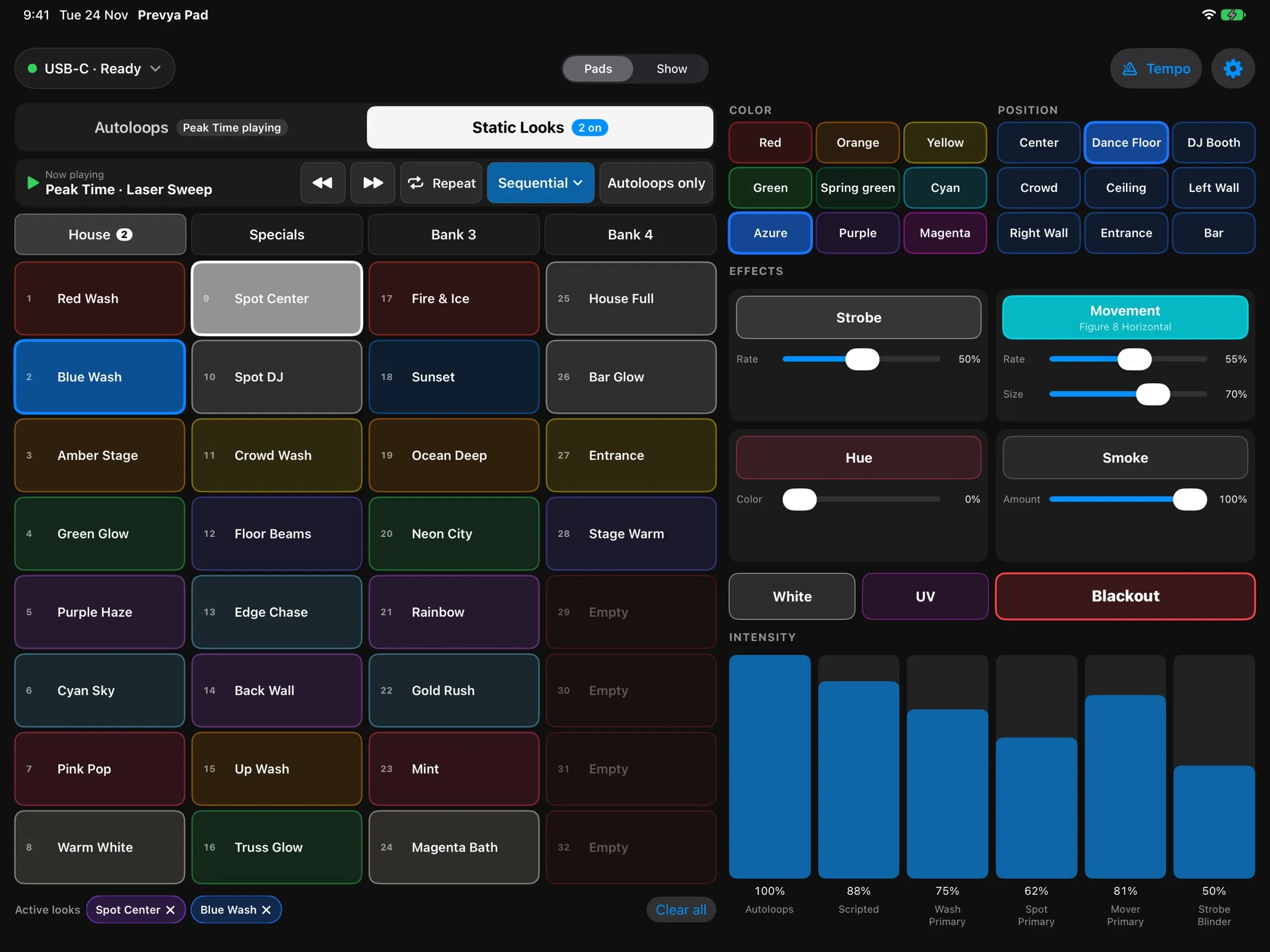
Overrides
Stack looks. Override anything.
Static looks, colors, positions, effects and six intensity faders, all on one screen.
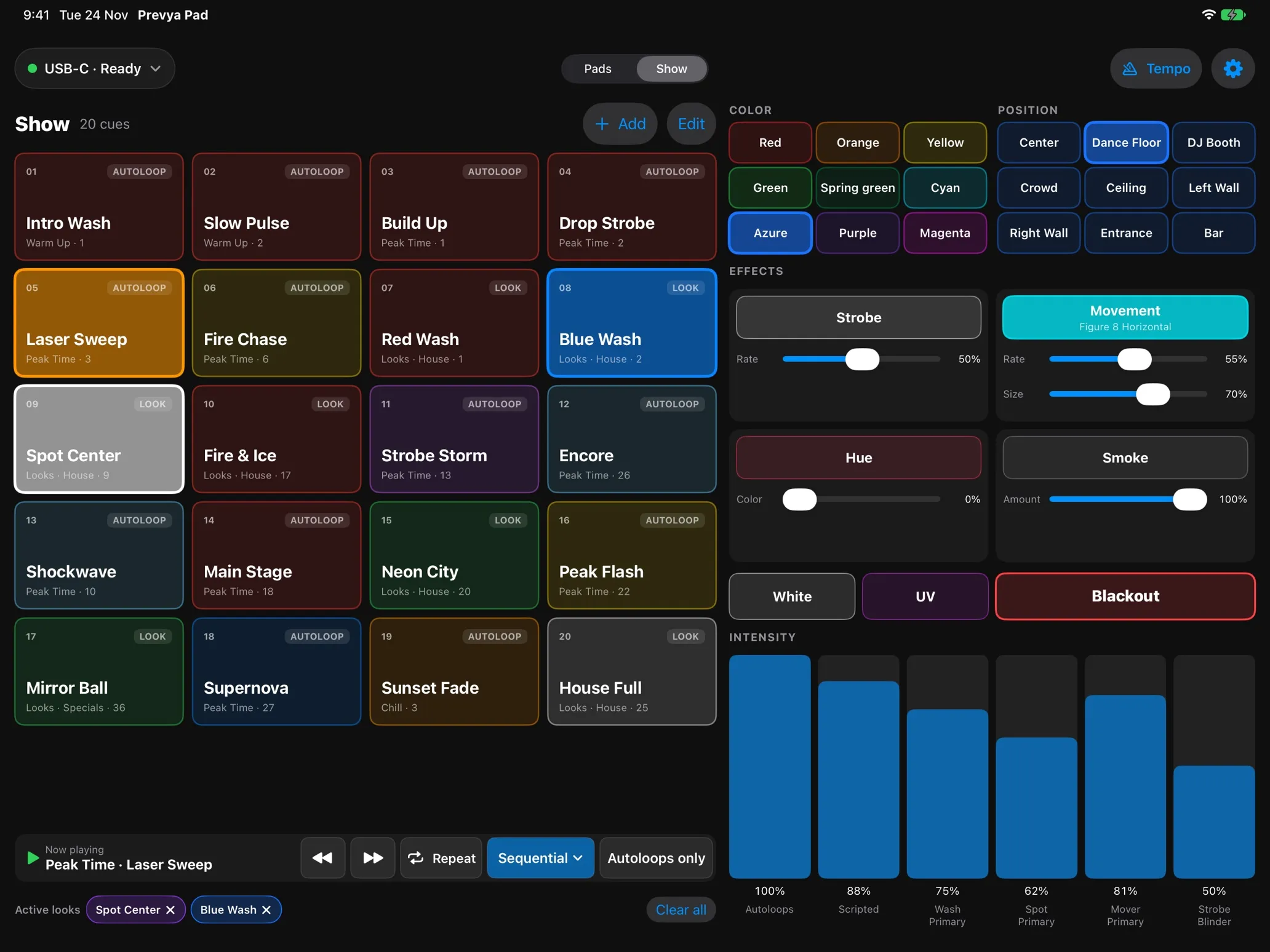
Show page
Build tonight’s set list
Pin the cues you need in order, then play the night from big, easy tiles.
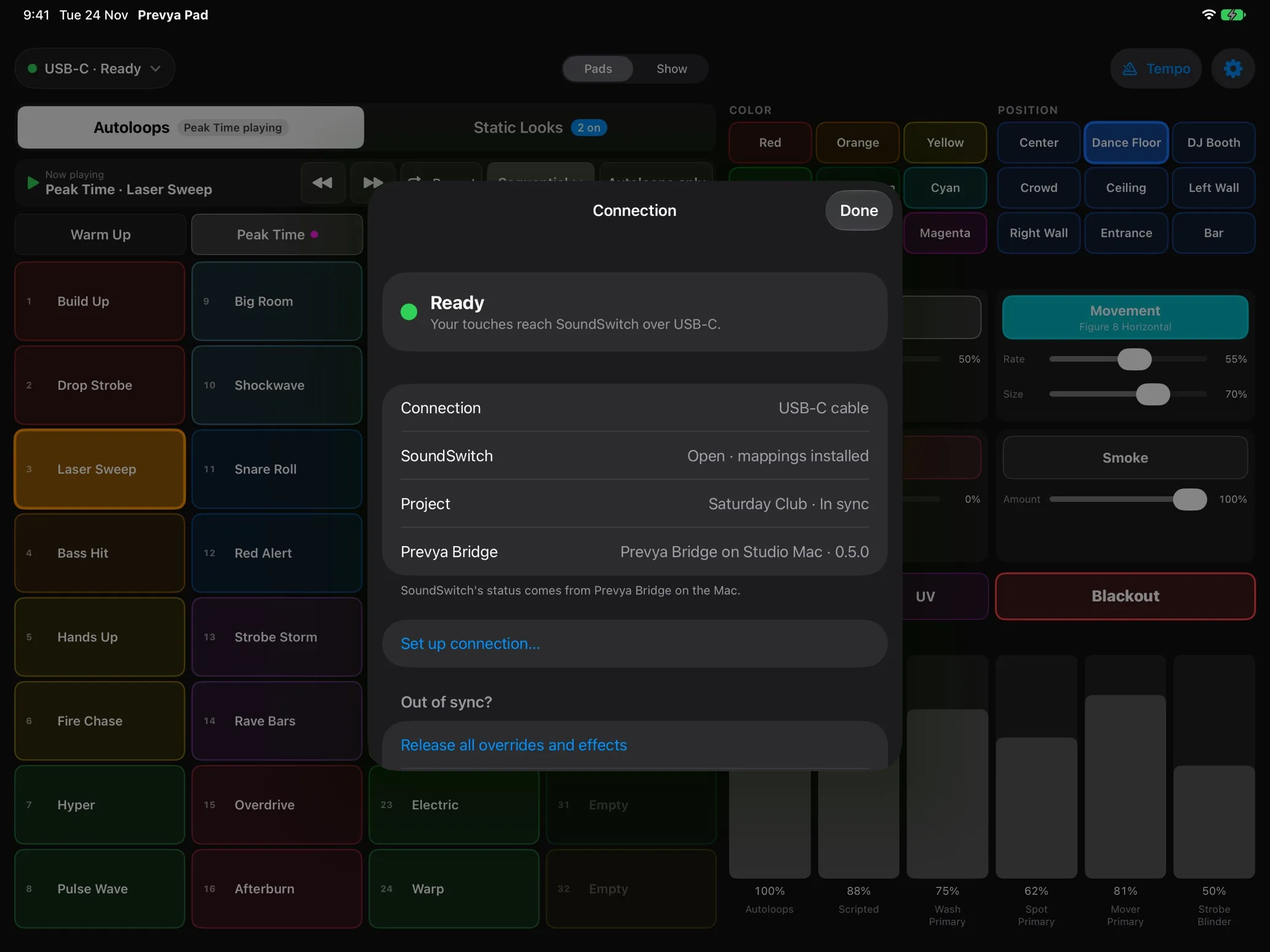
USB‑C or Wi‑Fi
Always know it’s connected
If SoundSwitch can’t hear the iPad, Prevya Pad tells you why and what to do.
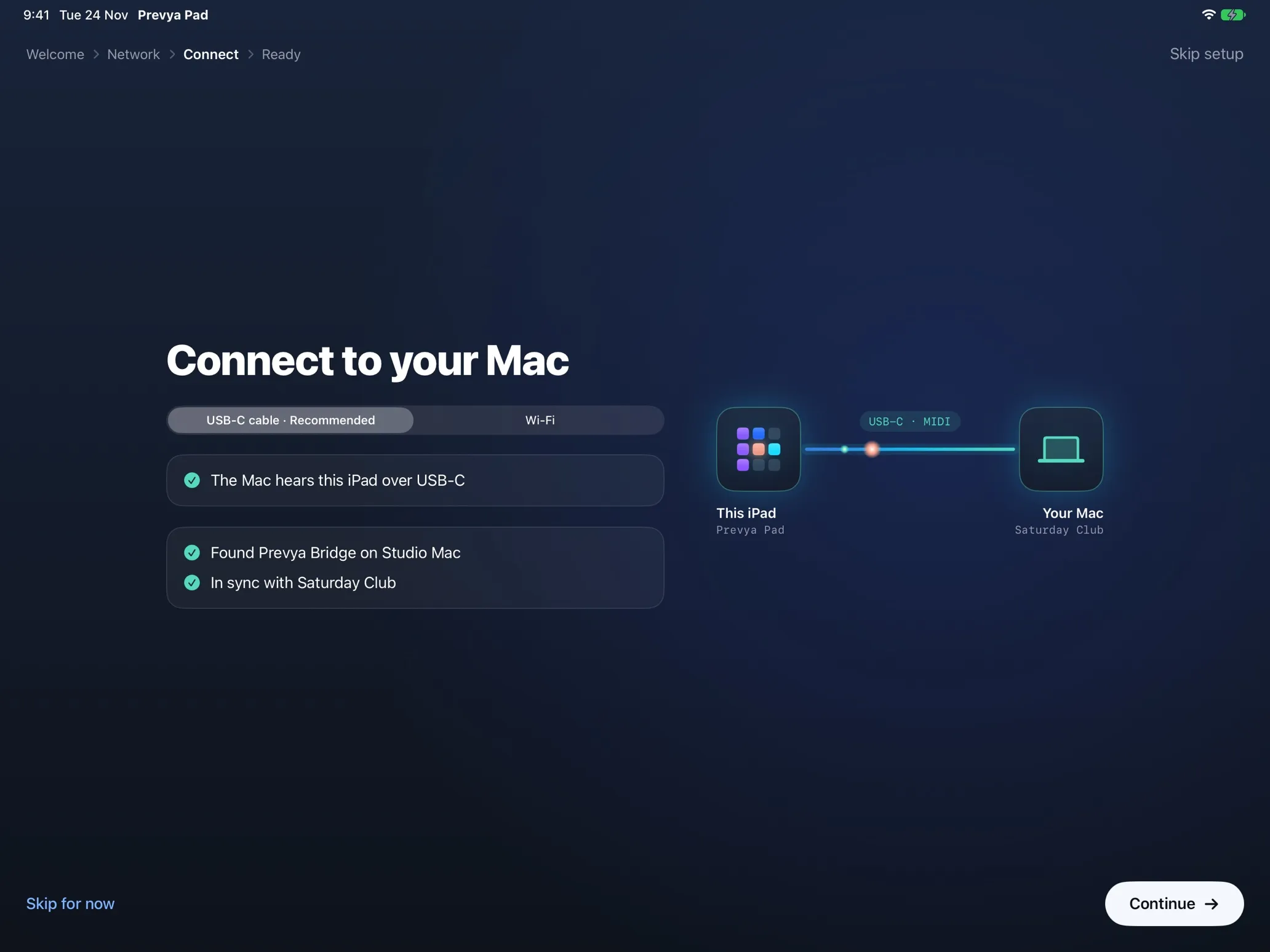
Guided setup
Ready in a few minutes
The free Prevya Bridge for Mac installs the controls and keeps the iPad in sync.

On the Mac: Prevya Bridge, free
It installs Prevya Pad’s controls in your SoundSwitch project and keeps names, banks and colors in sync. Prevya Pad works without it, with default names.
iPad with iPadOS 17 or later · Mac with SoundSwitch · USB‑C cable or one Wi‑Fi network · No account, no ads, no analytics